Service & dispatch
Get the call assigned and the work billed.
Assign technicians, keep the work order current, and follow each call through to billing. Manage service work alongside construction projects with the same customer and invoice records.
From the customer’s first report to the technician’s notes and the final invoice, keep the details of the call together.
Assign the technician and open their field access
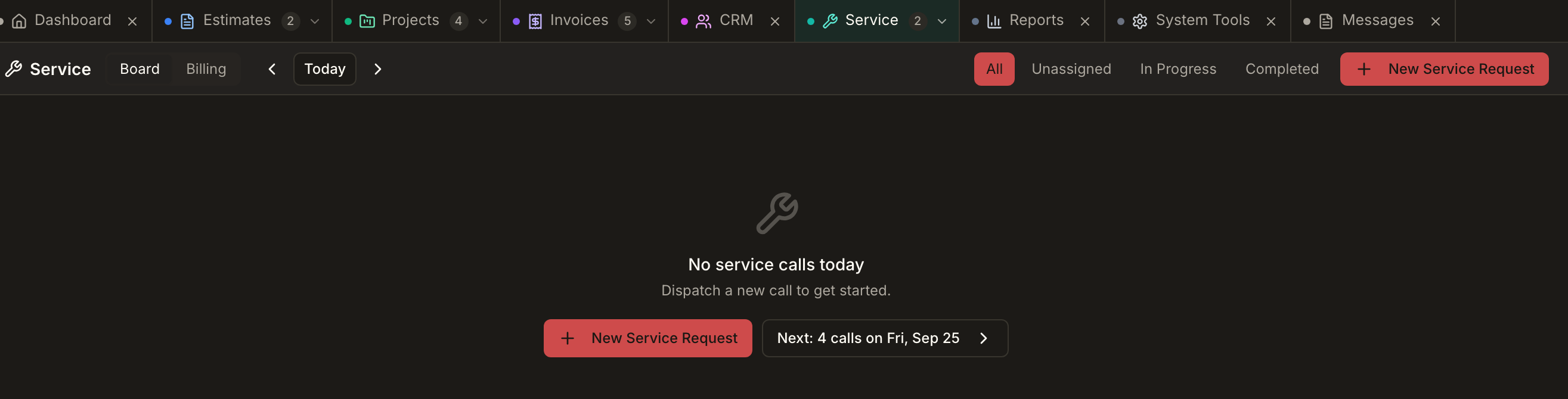
Dispatch connects a technician to the call and gives them access to clock in. The board helps you see scheduled calls and find the next day with work.
Draft the invoice from the recorded work
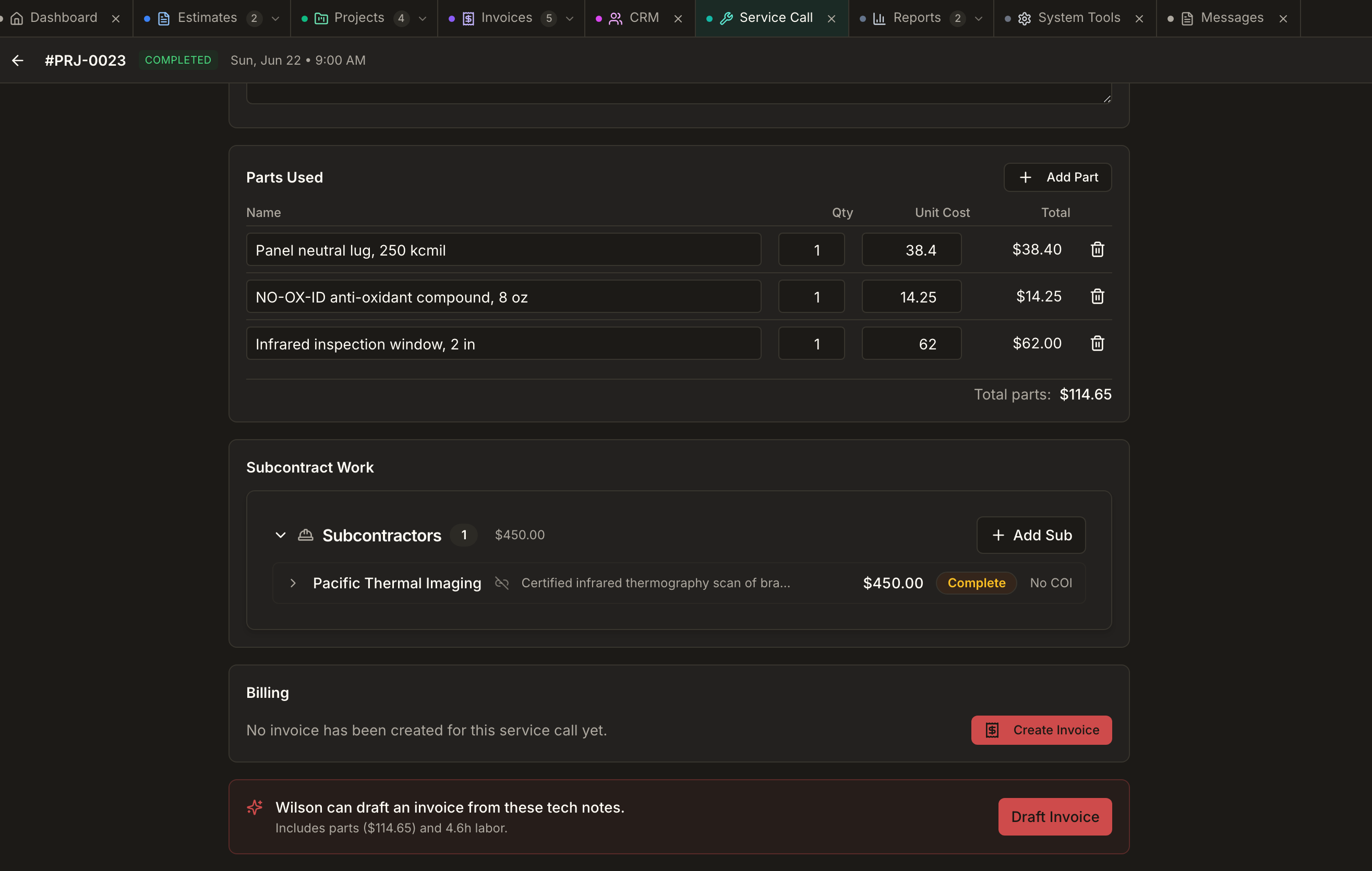
Parts, subcontractor costs, and logged labor stay on the call. Wilson can offer to draft an invoice from those records for your office to review.
See which calls still need billing attention
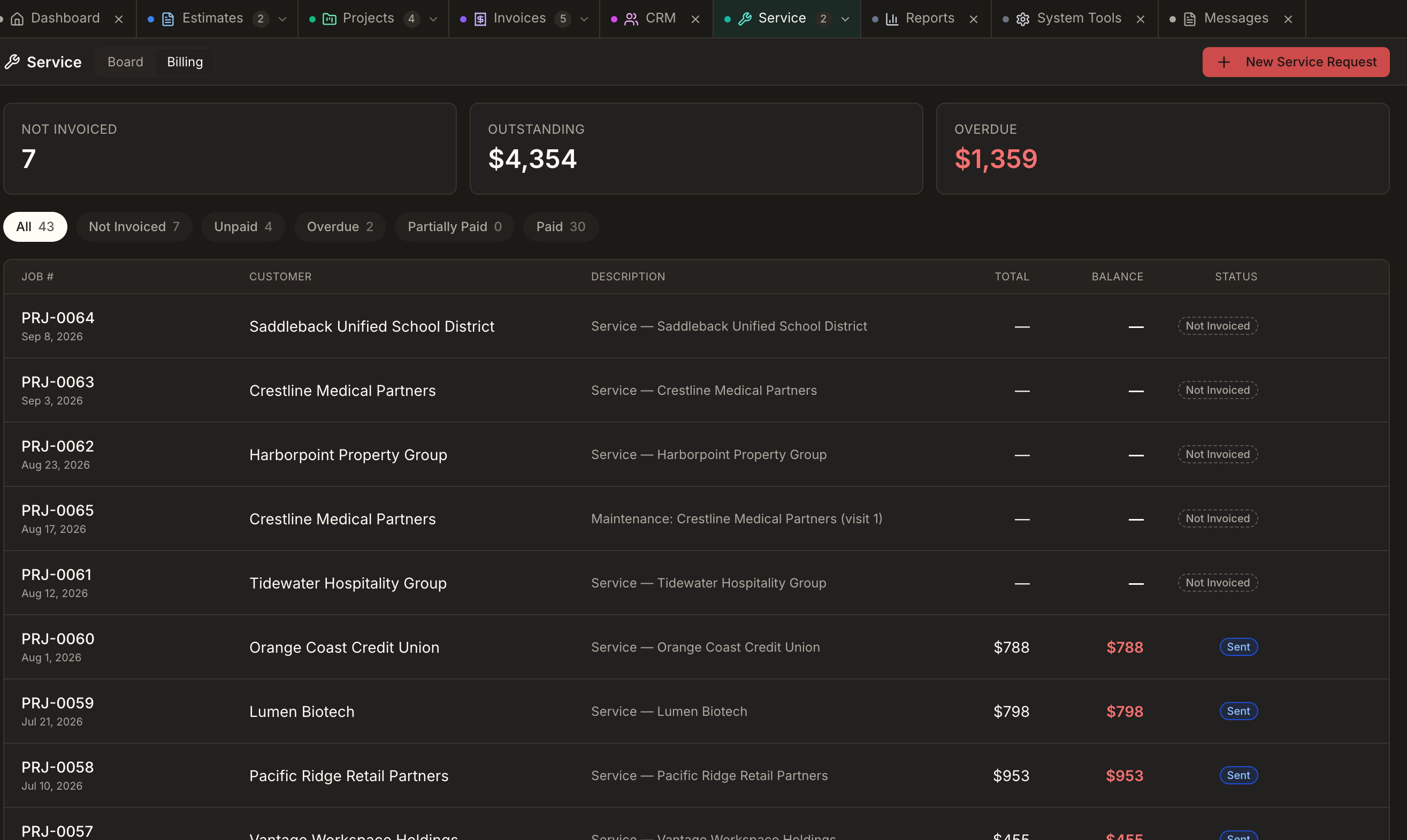
Review calls that are not invoiced, unpaid, overdue, partially paid, or paid. Outstanding and overdue totals help you prioritize follow-up.
Keep the problem, diagnosis, and repair together
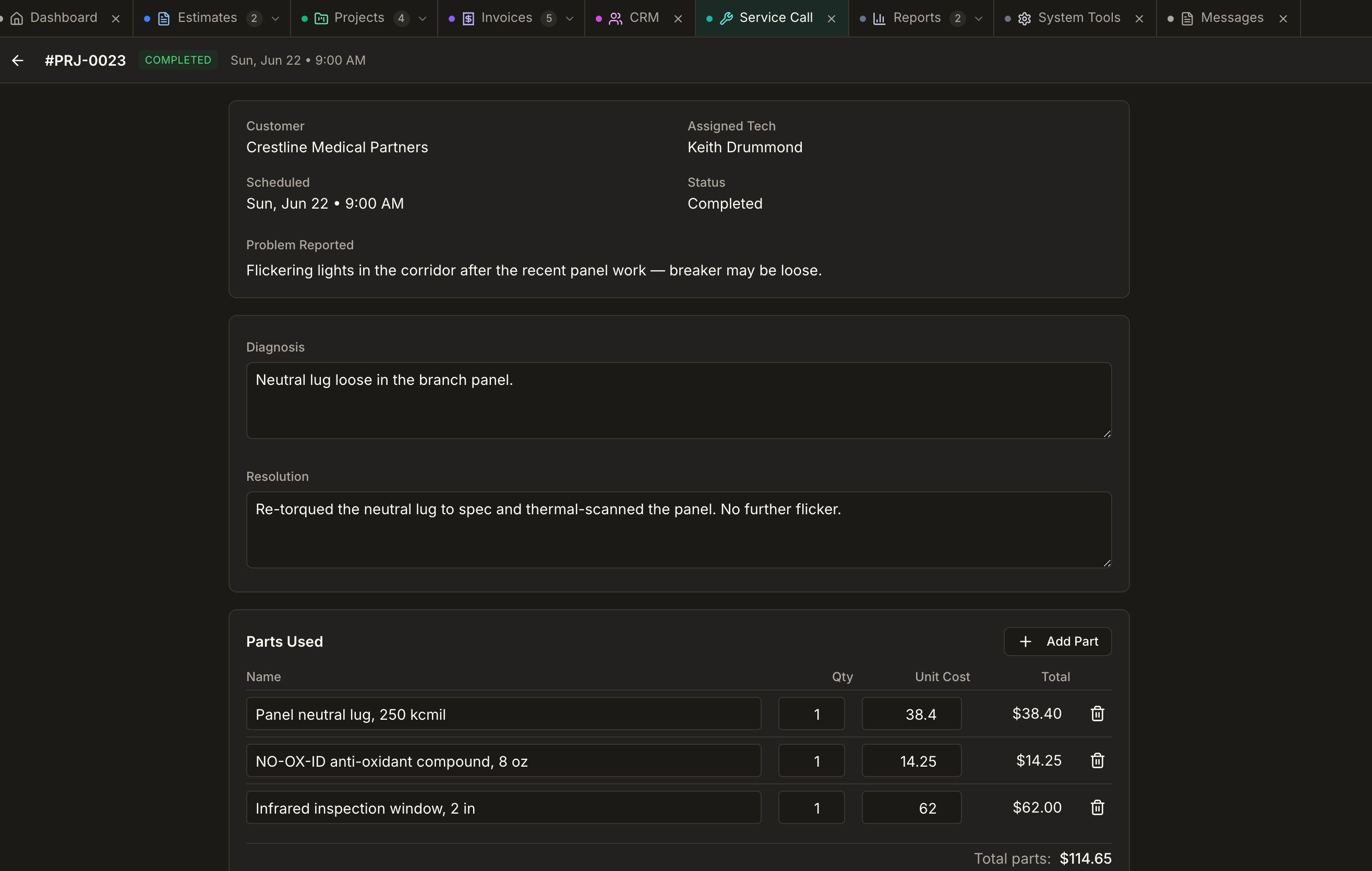
Record what the customer reported, what the technician found, and what was done, with parts used attached to the same work order.
Turn a signed service quote into a call
A signed service quote becomes a call on the dispatch board. The quoted scope becomes the problem description the technician sees.
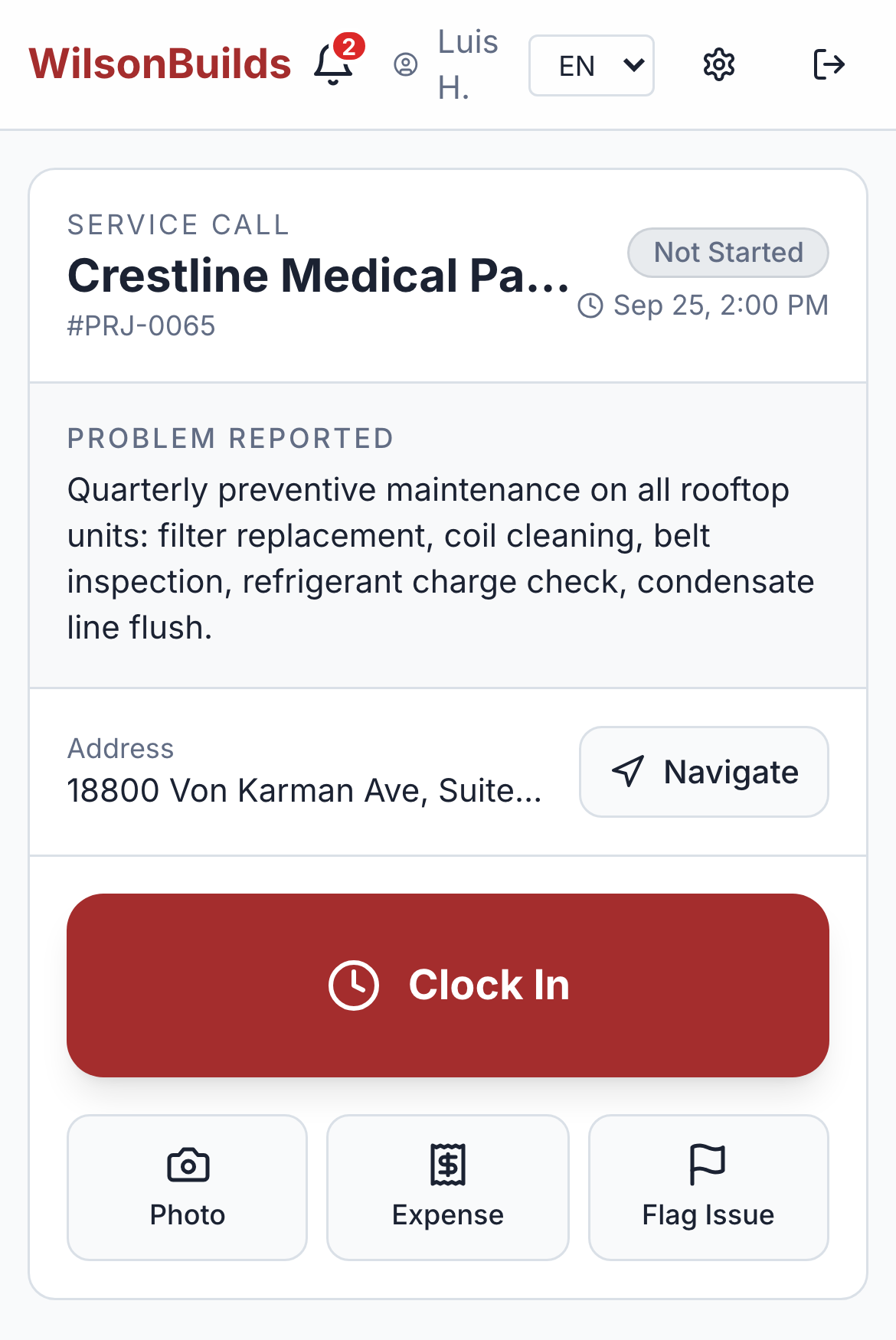
Give technicians the details they need on site
The field view includes the problem, address and map link, time clock, photos, expenses, and issue reporting. English and Spanish views support the crew in the field.
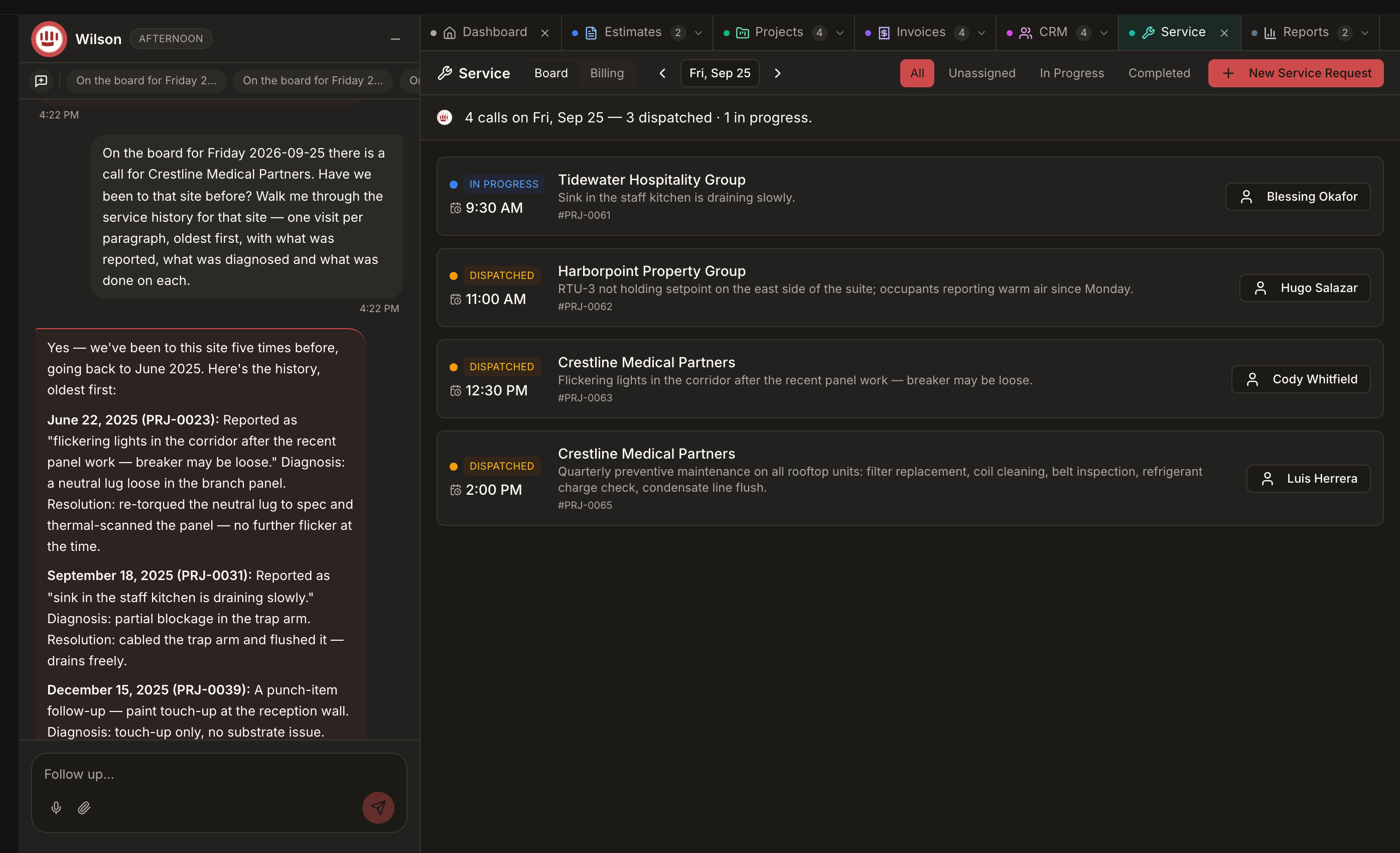
Check the history before the next visit
Ask Wilson about an address to review the problems, diagnoses, and completed work recorded on previous calls.
Work with a connected AI assistant
Use supported service actions from a connected assistant, including reviewing calls, dispatching, and updating notes. Proposed changes are previewed before they act.
Works with
Planned pricing: $199.99/month, all modules included — see pricing
Start free trial